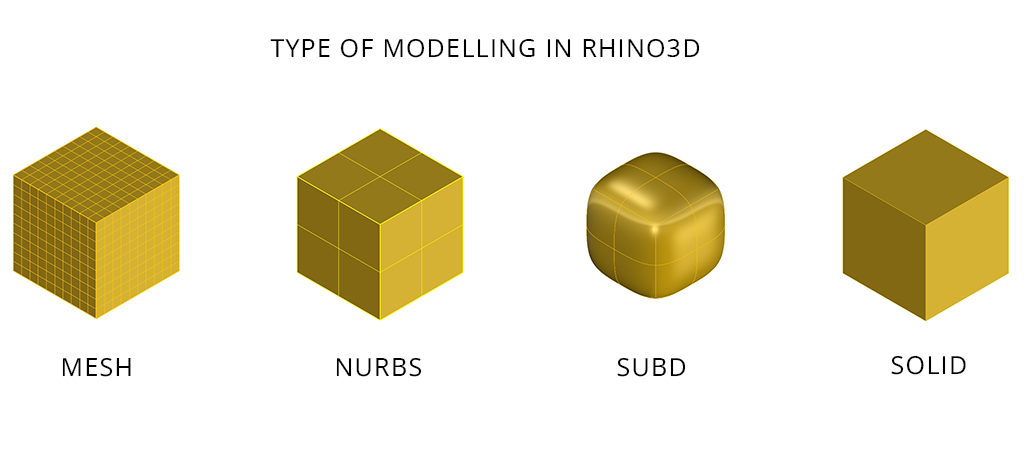
When working in Rhino or any 3D modeling environment, understanding different modeling types is essential.
Each method—Mesh, NURBS, SubD, and Solid Modeling—has its own strengths, limitations, and ideal use cases.
Let’s break them down in a simple and practical way.
Mesh Modeling
What is a Mesh?
A mesh is a 3D surface made up of vertices (points), edges (lines), and faces (polygons). These faces are typically triangles or quadrilaterals.
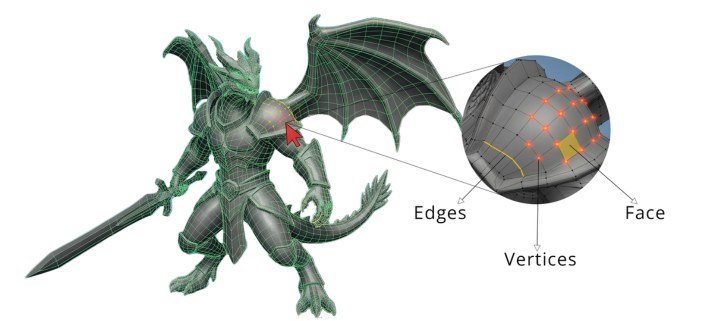
- Vertices define key points in space
- Edges connect vertices with straight lines
- Faces form the surface of the object
- Why Use Mesh?
Mesh modeling is lightweight and efficient. It’s ideal for handling large scenes like urban environments or detailed visualizations without slowing down performance. Advantages
- Lightweight and fast to compute
- Handles complex geometry easily
- Widely supported across most 3D software
- Represents approximate geometry (not mathematically exact)
- Not ideal for smooth, precise curves
- Difficult to convert into other formats like NURBS
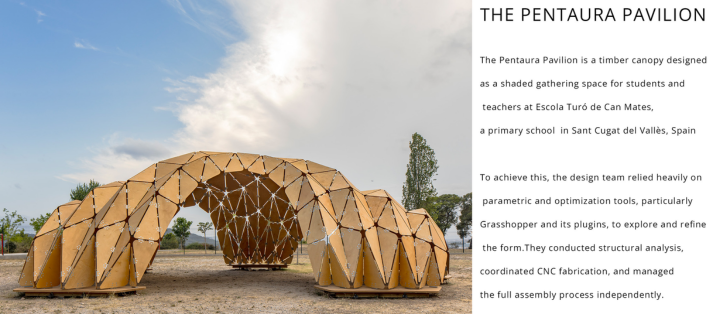
NURBS Modeling
What is NURBS?
NURBS (Non-Uniform Rational B-Splines) is a mathematical modeling method used to create highly accurate curves and surfaces.
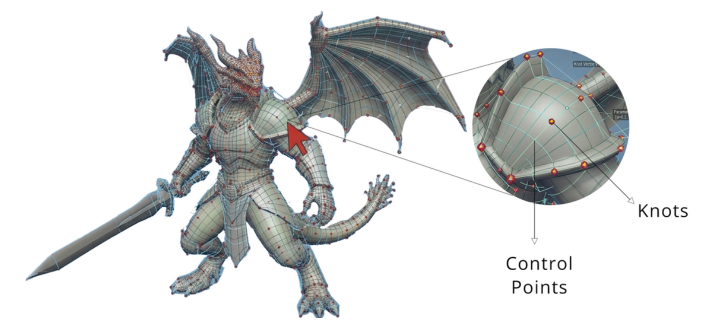
- Control points
- Knots
- Weights
- Represents true curves and smooth surfaces
- No loss of quality when scaling
- Suitable for manufacturing (CNC, simulations)
- Not ideal for organic or highly detailed sculpting
- Heavier in real-time rendering
- Limited editability across some software
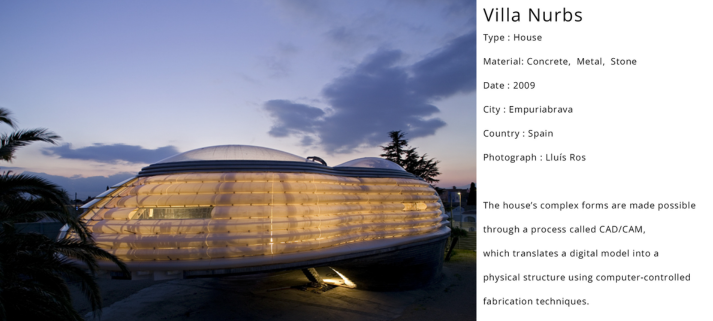
SubD Modeling
Subdivision Surface (SubD) modeling is a hybrid approach. It starts with a simple polygon mesh (called a control cage) and smooths it through subdivision. This results in forms that are:
- Smooth like NURBS
- Flexible like meshes
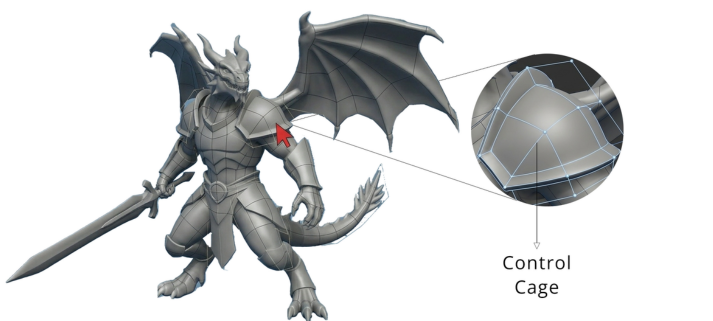
- Characters
- Vehicles
- Consumer products
- Represents true curves and smooth surfaces
- No loss of quality when scaling
- Suitable for manufacturing (CNC, simulations)
- Not ideal for organic or highly detailed sculpting
- Heavier in real-time rendering
- Limited editability across some software

Solid modelling
What is Solid Modeling?
Solid modeling represents objects as complete, closed volumes, not just surfaces.
It includes both:
- Geometry (shape)
- Topology (how elements connect)
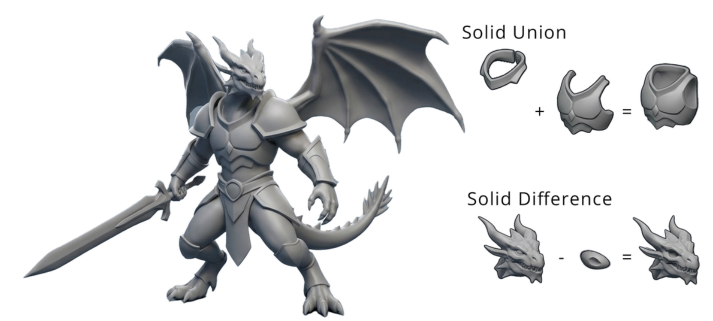
- Union – combine solid objects which are in contact to each other
- Difference – subtract one solid geometry with the help of other geometry
- Intersection – keep overlapping parts.
- Accurate simulations
- Mass calculations
- Physically accurate and watertight
- Parametric and easy to modify
- Ideal for engineering and product design
- Built-in analysis tools (mass, volume, etc.)
- Not suitable for organic or sculptural forms
- Computationally heavy for complex assemblies
- Requires understanding of parametric workflows
- Not used directly in real-time rendering
Conclusion
Each modeling type serves a different purpose:
- Mesh → Best for visualization and large, complex scenes
- NURBS → Best for precision and manufacturing
- SubD → Best for organic and smooth forms
- Solid Modeling → Best for engineering and real-world products
Understanding when to use each method is what truly elevates your workflow in Rhino and beyond.
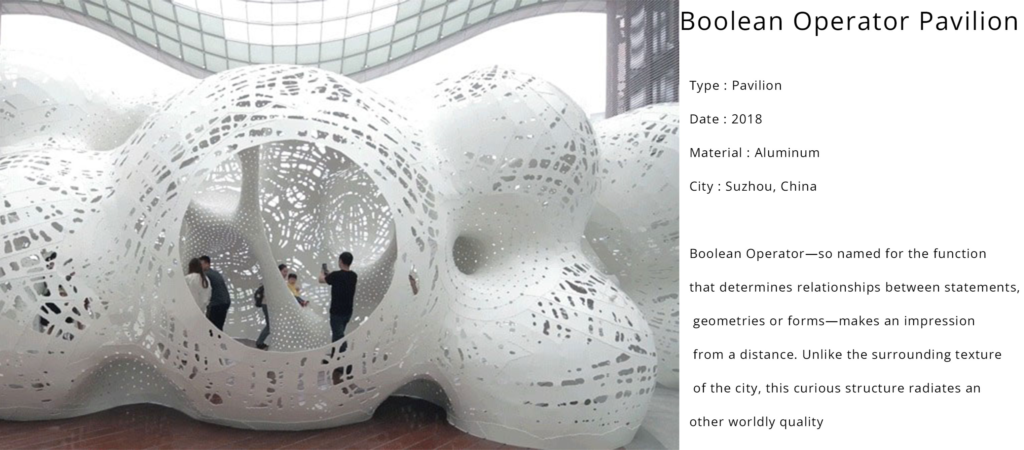
Real world example