Introduction
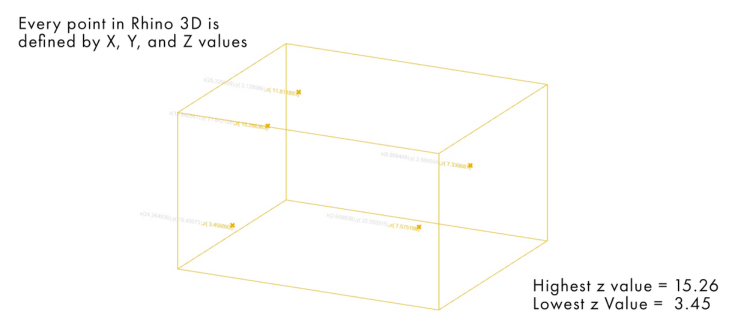
In this tutorial, we will learn how to sort points by Z value in Grasshopper to organize geometry based on height. This technique allows you to arrange points from the highest elevation to the lowest, creating a clear vertical hierarchy.
In parametric design, sorting points based on their Z-axis position is essential for controlling geometry, especially in workflows like terrain modeling, façade design, and contour manipulation.
By doing this, we can clearly define a vertical order—moving from the top peak of a contour down to the base ground level. This method is essential when working in Grasshopper to control geometry based on elevation and create structured parametric transformations.
Workflow to Sort Points by Z Value in Grasshopper
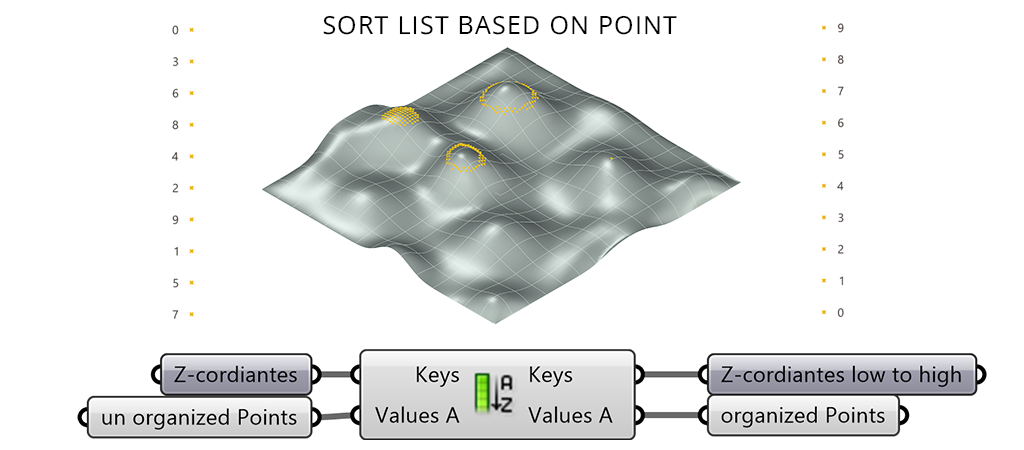
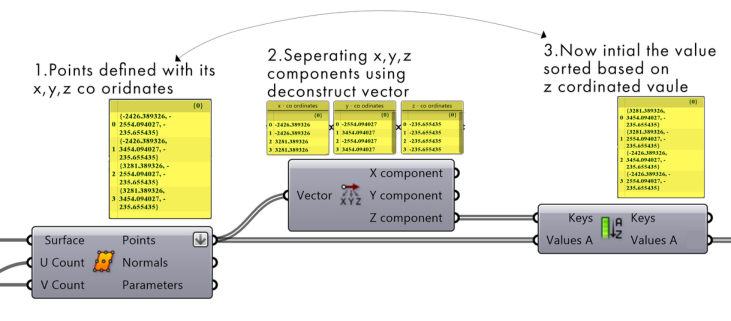
The process begins by generating a surface, which is then divided into a grid of smaller elements. From this division, points are extracted across the surface.
These points are then analyzed based on their Z-coordinate (height), and using the Sort List component, they are arranged from highest to lowest. This creates an ordered sequence of points, allowing better control based on vertical position.
This method helps you efficiently sort points by Z value in Grasshopper, making it easier to control elevation-based geometry.
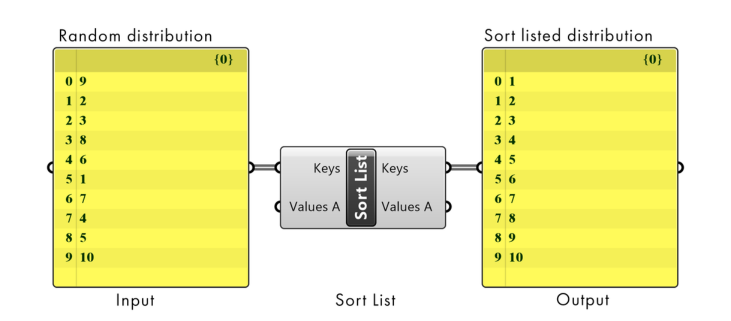
What is Sort List in Grasshopper
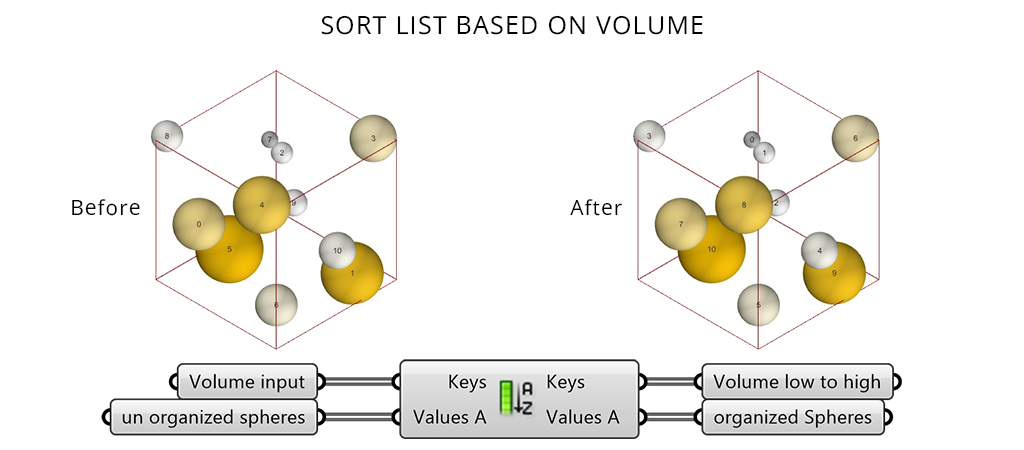
The Sort List component in Grasshopper is used to organize data in a specific order based on a set of reference values. Instead of manually arranging elements, it automatically sorts them by comparing numerical values.
This is especially useful in parametric design workflows where geometry needs to be arranged based on properties such as length, area, or position.
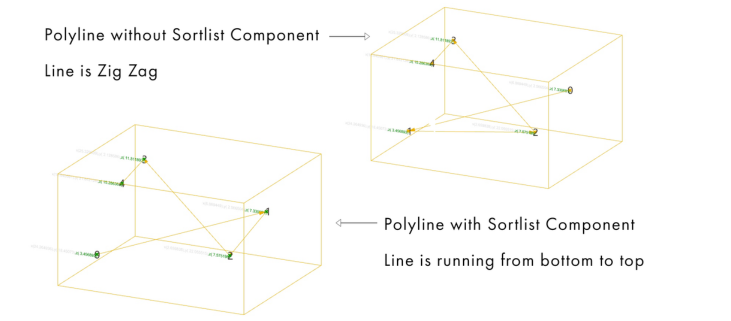
How Sort List Works
The Sort List component takes two main inputs:
Keys (K): Numerical values used for sorting
Values (A): Data that will be rearrangedThe component sorts the values based on the keys, making it highly efficient for organizing complex datasets in Grasshopper.
Extracting Z-Values for Sorting
Points are extracted from the surface and passed into the Deconstruct Point component to separate their X, Y, and Z coordinates.
The Z-values, representing height, are then used as the Keys input in the Sort List component to define the sorting order.
Steps:
Extract points from the divided surface
Input these points into the Deconstruct Point component
Use the Z output to obtain height values
Connect these Z-values to the Keys (K) input of the Sort List
Selecting Points Based on Height (Z-Value Filtering)
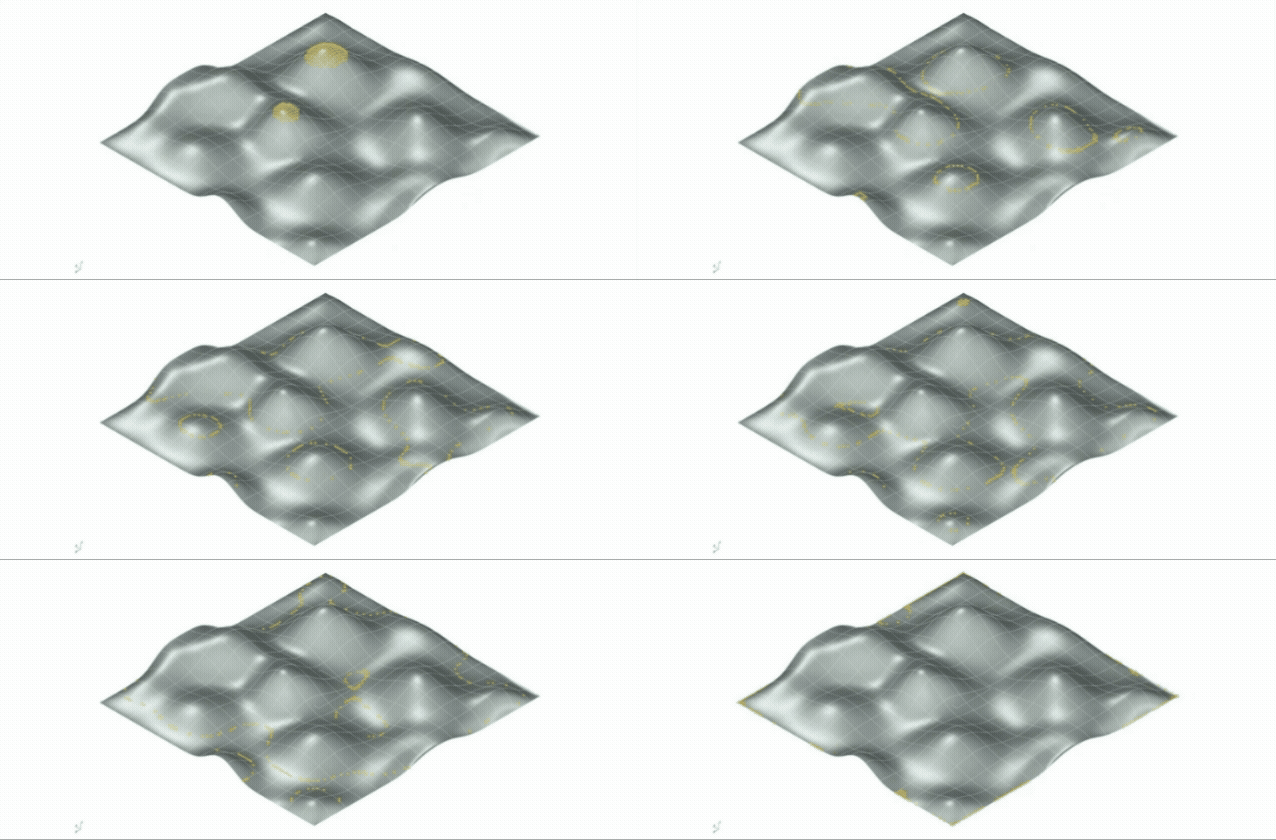
Once the points are sorted based on their Z-values, it becomes easier to isolate specific regions based on height.
In this example, only the points located at higher elevations are selected, forming clusters around the peaks of the surface.
This technique allows you to filter and control geometry based on spatial logic—such as identifying high points, low regions, or gradual transitions. It is widely used in:
Terrain modeling
Façade design
Parametric zoning
Conclusion
Learning how to sort points by Z value in Grasshopper is a fundamental technique for building structured parametric workflows.
Sorting points by Z-coordinate in Grasshopper allows you to organize geometry based on height, creating a clear vertical hierarchy.
By extracting and sorting these values, you can control how elements behave from top to bottom, enabling structured and intentional parametric transformations.
This method is especially useful in architectural workflows where elevation plays a key role, such as contours, façades, and vertical systems.